Your website might look fine at a glance. Pages load, forms submit, and occasionally you receive an enquiry. But having a website that simply works is no longer enough.
Customer expectations are changing. People still use Google to find businesses, but they are also exploring AI-powered tools like ChatGPT, Gemini, and Copilot to research products, compare services, and find recommendations.
At the same time, website performance, accessibility, security, and user experience play an important role in how people interact with your business online.
So, how do you know whether your website is keeping up?
This practical checklist will help you review your website, identify potential issues, and understand what you should improve next. You don’t need to be a technical expert to get started.
1. Speed and Performance – Does Your Website Feel Slow?
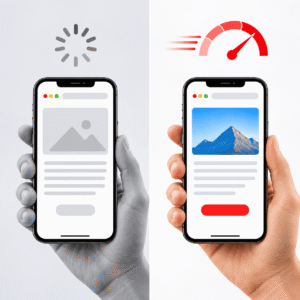
Website speed is one of the first things visitors notice. If your pages take too long to load, visitors may leave before they even see what your business offers.
You can perform a simple test yourself:
- Open your website on your phone.
- Use mobile data instead of Wi-Fi.
- Visit four or five important pages.
- Open images and interactive sections.
- Submit your main contact form.
Ask yourself:
- Do pages load smoothly?
- Do large images take too long to appear?
- Does the layout jump around while the page loads?
- Do buttons and forms respond quickly?
For a more technical performance check, review Google’s Core Web Vitals:
- LCP (Largest Contentful Paint): Should be 2.5 seconds or less.
- INP (Interaction to Next Paint): Should be 200 milliseconds or less.
- CLS (Cumulative Layout Shift): Should be 0.1 or less.
These metrics measure how quickly the main content appears, how responsive your website feels, and whether elements unexpectedly move while visitors interact with the page.
You can check your website using Google PageSpeed Insights and the Core Web Vitals report in Google Search Console.
You don’t need to understand every technical detail of caching, image compression, or server configuration. Just make sure website performance is regularly monitored and improved.
2. Mobile Experience – Can Visitors Easily Use Your Website?
A good website should work just as well on a mobile phone as it does on a desktop.
Many people discover businesses and browse services using their phones. A website that looks great on a large screen but becomes difficult to use on mobile can create a poor first impression.
Try this simple mobile test:
- Can you easily open the navigation menu?
- Is the text readable without zooming?
- Are buttons large enough to tap comfortably?
- Are important actions like Call, WhatsApp, Book Now, and Contact easy to find?
- Do images and sections fit properly on smaller screens?
- Can visitors complete forms without difficulty?
Don’t just check whether your website fits the screen. Check whether someone can comfortably use it.
A good mobile experience should make it easy for visitors to find information, explore services, and contact your business without unnecessary effort.
3. Website Accessibility – Can Everyone Use Your Website?
A modern website should be usable by as many people as possible, including visitors who rely on keyboards, screen readers, or other assistive technologies.
Accessibility is not just a technical requirement. It helps create a better experience for more visitors.
Here are some basic accessibility checks:
- Images have meaningful alternative text where needed.
- Text has sufficient contrast against its background.
- Forms have clear labels and understandable error messages.
- Navigation works using a keyboard, not just a mouse.
- Buttons and links have clear, descriptive names.
- Headings follow a logical structure.
- Videos include captions where appropriate.
- Keyboard focus is visible when navigating the website.
Consider using the Web Content Accessibility Guidelines (WCAG) 2.2 as a reference when reviewing your website.
You can start with basic accessibility checks and gradually improve areas that need attention.
Remember, accessibility is not only about compliance. It also makes your website easier for more people to navigate.
4. Clear Calls to Action – Is the Next Step Obvious?
Many websites look attractive but fail to guide visitors toward taking action.
A visitor should quickly understand what your business offers and what they should do next.
Review your important pages, such as:
- Homepage
- Main service pages
- Pricing pages
- Product pages
- Contact page
For each page, ask yourself:
- Is it clear what this page is about?
- Does it explain who the service or product is for?
- Is there a clear next step for visitors?
Examples of useful calls to action include:
- Restaurant: Book a Table
- Service business: Request a Quote
- SaaS company: Start a Free Trial
- Local business: Call Now or Chat on WhatsApp
- Ecommerce store: Shop Now or Add to Cart
Avoid giving visitors too many competing options. Highlight the most important action and make it easy to complete.
Your website should guide visitors naturally from discovering your business to becoming potential customers.
5. Trust Signals – Does Your Website Build Confidence?
People rarely trust a business based on website design alone. They look for evidence that the business is genuine, experienced, and reliable.
Review your website for these trust signals:
- Real photos of your team, office, or completed projects.
- Genuine customer testimonials and reviews.
- Case studies that demonstrate your experience.
- Client or partner logos, where permission is available.
- A clear About Us page explaining your business.
- Accurate address, phone number, and company details.
- Active social media profiles.
- Relevant certifications, awards, or industry memberships.
Customer reviews are particularly useful because they help potential customers understand other people’s experiences with your business.
Don’t just display positive feedback. Make sure reviews are genuine, relevant, and presented accurately.
A consistent and transparent online presence helps visitors feel more confident before contacting or purchasing from you.
6. Content Accuracy – Is Your Website Information Still Correct?

Outdated content can quietly damage your website’s credibility.
Imagine a potential customer visiting your website and finding an old price, a service you no longer offer, or an incorrect contact number.
These small mistakes can create confusion and reduce trust.
Common issues include:
- Old pricing or promotional offers.
- Services that are no longer available.
- Former employees are still listed as current team members.
- Outdated events and announcements.
- Incorrect office locations or contact details.
- Old screenshots, statistics, or product information.
Plan a content review at least once every quarter for important business information.
Review these areas:
- Services and product descriptions.
- Pricing and offers.
- Locations and contact details.
- Team and About Us pages.
- Frequently asked questions.
- Important blog posts and landing pages.
- Legal and privacy information.
Also, make sure your content answers the questions your customers actually ask.
Helpful, original, and accurate content is more valuable than publishing large amounts of generic text.
7. SEO and AI Search Visibility – Is Your Website Discoverable?
Search engine optimization (SEO) remains important for businesses that want to attract visitors through Google and other search engines.
However, the way people discover information is evolving.
People are increasingly exploring AI-powered search experiences such as Google’s AI Overviews, AI Mode, ChatGPT, and other AI assistants.
This creates additional opportunities for businesses to make their websites useful and discoverable.
7.1 Build a Strong SEO Foundation
Start with the basics:
- Give each important page a clear topic and purpose.
- Write descriptive page titles and meta descriptions.
- Use headings that explain the content.
- Create dedicated pages for important services.
- Use descriptive internal links.
- Make sure important pages can be crawled and indexed.
- Fix broken links and unnecessary redirects.
- Create useful content that answers customer questions.
Good SEO is not about repeating keywords everywhere. It is about making your website useful for visitors and easy for search engines to understand.
7.2 Make Your Content Easy to Understand
AI-powered search experiences need to understand what your business does and what information your website provides.
Use clear and specific language.
For example:
Instead of writing:
“We provide innovative digital solutions for modern businesses.”
Write:
“We develop custom WordPress websites and ecommerce solutions for businesses looking to improve their online presence.”
The second example explains the service more clearly.
Use descriptive headings, meaningful paragraphs, relevant examples, and direct answers to common customer questions.
7.3 Keep Your Business Information Consistent
Make sure your business details are accurate across:
- Your website.
- Google Business Profile.
- Important business directories.
- Social media profiles.
- Industry-specific listings.
Review your business name, address, phone number, website URL, and service descriptions regularly.
Consistent information helps customers and online platforms understand your business correctly.
7.4 Publish Helpful and Original Content
Your website should offer more than sales messages.
Consider publishing:
- Practical how-to guides.
- Industry insights.
- Frequently asked questions.
- Case studies.
- Product comparisons.
- Helpful resources for potential customers.
Focus on original information, real experience, and useful answers rather than publishing generic content just to target keywords.
Google’s guidance confirms that its AI search experiences continue to rely on the same foundational SEO practices. There is no guaranteed shortcut or special AI schema that will make a website appear in AI-generated answers.
You can explore Google’s official guidance on AI features and your website to understand the latest recommendations.
8. Data, Analytics, and Content Engagement – Are You Measuring Results?
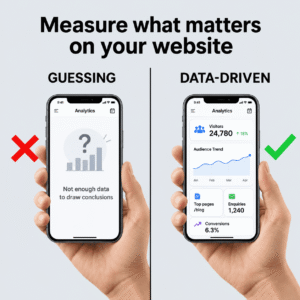
If you don’t measure your website’s performance, you are making decisions based on assumptions.
A basic analytics setup should help you understand:
- How many people visit your website.
- Which pages attract the most visitors.
- Where your visitors come from.
- Which pages generate enquiries.
- How many visitors complete important actions.
- Which marketing channels bring valuable leads.
You can use Google Analytics 4 (GA4) or another suitable analytics platform.
Also, configure event tracking for important actions such as:
- Contact form submissions.
- Phone number clicks.
- WhatsApp clicks.
- Product purchases.
- Appointment bookings.
- Newsletter sign-ups.
Measure Content Engagement
Tracking website visitors is just the starting point. You should also understand how visitors interact with your website content.
Monitor metrics such as:
- Engaged sessions.
- Average engagement time.
- Scroll depth.
- CTA clicks.
- Content-related conversions.
- Leads generated from important pages.
These metrics can help you identify which content attracts attention, keeps visitors engaged, and encourages them to take action.
For more insights, explore these content engagement metrics to understand how to measure content performance and make better marketing decisions.
Add Simple Automation
You don’t need a complicated system to improve your website’s lead management.
Start with a few practical automations:
- Send contact form submissions to a CRM or shared spreadsheet.
- Automatically confirm that an enquiry has been received.
- Notify the appropriate team member about new leads.
- Set follow-up reminders for enquiries that haven’t received a response.
- Connect booking forms with your calendar where appropriate.
These small improvements can help your team respond faster and manage enquiries more effectively.
9. Website Security, Privacy, and Maintenance – Is Your Website Protected?
A website is not something you build once and forget.
Regular maintenance helps keep your website secure, stable, and reliable.
Start by checking these important areas:
Website Security
- Your CMS, themes, and plugins are updated regularly.
- Strong passwords and two-factor authentication are used where available.
- Regular backups are configured and can be restored.
- SSL certificates are active and HTTPS is enabled.
- Unused plugins, themes, and user accounts are removed.
- Contact forms have appropriate spam protection.
- Security monitoring is available to identify suspicious activity.
Privacy and Data Protection
If your website collects visitor information, make sure your privacy practices are clear.
Review the following:
- Display an appropriate privacy policy.
- Explain how contact forms collect and use personal information.
- Use a suitable cookie consent solution where required by applicable laws.
- Review third-party tracking scripts and integrations.
- Avoid collecting unnecessary personal information.
- Follow applicable data protection requirements in the regions where you operate.
Regular Website Maintenance
Create a simple maintenance routine that includes:
- Checking website availability.
- Reviewing broken links and forms.
- Monitoring website performance.
- Updating software and extensions.
- Testing backups.
- Reviewing security alerts.
- Checking important pages after major updates.
Regular maintenance can help prevent small technical problems from turning into bigger business disruptions.
10. Using AI Inside Your Website in a Useful Way
Many businesses feel pressure to add AI to their websites just to look modern.
But adding an AI chatbot or automation tool does not automatically improve the customer experience.
Start with practical use cases that solve real problems.
For example:
- AI-powered website assistants that answer common questions using approved business information.
- Automated responses that help visitors find relevant services.
- AI-assisted lead qualification that helps categorize enquiries.
- Customer support tools that help teams prepare responses faster.
- Content management workflows that help update website information.
- Internal tools that summarize enquiries and organize customer information.
Make sure AI-generated answers are accurate, relevant, and reviewed where necessary.
For important customer interactions, provide a way to contact a real person when the AI cannot answer confidently.
The goal is not to impress visitors with technology. The goal is to help people get information faster and make your team’s work easier.
11. Quick Website Readiness Checklist – How Does Your Website Score?
Now that you have reviewed the important areas, use this checklist to identify where your website needs improvement.
Mark each item as Yes, No, or Not Sure.
Performance
- Does your website load smoothly on desktop and mobile?
- Are your Core Web Vitals within Google’s recommended ranges?
Mobile Experience
- Is your website easy to navigate on smaller screens?
- Are important buttons and forms easy to use?
Accessibility
- Can visitors navigate your website using a keyboard?
- Are text contrast, image descriptions, and form labels appropriate?
User Experience
- Are your services and main actions easy to understand?
- Can visitors quickly find your contact information?
Trust and Content
- Does your website display genuine reviews and business information?
- Are your content, services, prices, and contact details up to date?
SEO and AI Search
- Are your important pages optimized for search engines?
- Does your content answer real customer questions clearly?
Analytics
- Are important website actions being tracked?
- Do you understand which pages generate enquiries?
Security and Maintenance
- Are your website software and plugins updated?
- Are backups and security checks in place?
AI and Automation
- Are you using automation to improve lead management?
- Does any AI functionality provide genuine value to visitors?
If you answered No or Not Sure to several questions, don’t panic. It doesn’t automatically mean you need a complete website redesign.
Often, focused improvements can make a meaningful difference.
A practical improvement plan could look like this:
- Fix critical performance and mobile usability issues.
- Improve accessibility and navigation.
- Update important website content and trust signals.
- Strengthen SEO and AI search visibility.
- Set up analytics and conversion tracking.
- Review security, backups, and maintenance.
- Introduce AI and automation where they genuinely help.
12. What Should You Do Next?
Your website should support your business goals, not simply exist as an online brochure.
If you have identified areas that need improvement, start with the issues that affect your visitors and business results the most.
You may need a few technical fixes, updated content, better conversion paths, or a more comprehensive website revamp.
At Zluck Solutions, we help businesses:
- Review existing websites and identify improvement opportunities.
- Develop and modernize WordPress websites.
- Improve website speed, usability, and performance.
- Build SEO-friendly website structures.
- Integrate AI-powered solutions and workflow automation.
- Maintain websites with ongoing technical support.
If you’re unsure where to start, share your website URL and tell us your main goal – whether it’s generating more leads, improving user experience, increasing bookings, or modernizing your website.
Let’s make sure your website is ready for what comes next. Contact Zluck Solutions to discuss your website improvement requirements.
Frequently Asked Questions
What makes a website ready for the future?
A future-ready website should load quickly, work well on mobile devices, be accessible, and provide a smooth user experience. It should also have accurate content, strong security, useful analytics, and a clear structure that helps search engines and visitors understand the business.
How often should I update my business website?
Review important website information at least once every quarter. Check services, prices, contact details, team information, and important content. Technical updates, backups, security checks, and performance monitoring should happen regularly.
Do I need to redesign my website to improve its performance?
Not necessarily. Many websites can improve through targeted changes such as image optimization, caching, responsive design improvements, content updates, and better navigation. A complete redesign is worth considering when the existing website has significant usability, technical, or maintenance limitations.
What are Core Web Vitals?
Core Web Vitals are Google's user experience metrics that measure loading performance, responsiveness, and visual stability. The three main metrics are LCP, INP, and CLS. They help website owners identify performance issues that can affect the visitor experience.
Is SEO still important with AI-powered search?
Yes. Traditional SEO remains important because Google's AI search experiences use the same foundational SEO principles. Focus on helpful content, technical accessibility, accurate information, and a good user experience. There is no guaranteed method to appear in AI-generated answers.
What is the difference between SEO and AEO?
SEO (Search Engine Optimization) focuses on improving a website's visibility in search engine results. AEO (Answer Engine Optimization) is a term commonly used for making content easier to discover and use in answer-based search experiences, including AI-powered tools.
These approaches overlap significantly. Clear content, useful answers, good technical SEO, and trustworthy information support both.
How can I improve my website's visibility in AI search results?
Start by creating original and helpful content that answers customer questions. Keep service descriptions and business information accurate, make important pages accessible to search engines, and maintain a consistent online presence. These practices support discoverability, but no specific technique guarantees AI recommendations.
How do I measure whether my website content is performing well?
Use analytics tools to monitor engaged sessions, engagement time, conversions, CTA clicks, and other relevant events. Compare these metrics with your business goals to understand which pages and content are helping generate enquiries or sales.
Why is website accessibility important?
Website accessibility helps people with different abilities navigate and use your website. It improves usability, supports inclusive design, and can help businesses meet applicable accessibility requirements. WCAG 2.2 is a useful standard for evaluating accessibility.
What website maintenance tasks should businesses perform regularly?
Businesses should regularly update their CMS, themes, and plugins, check backups, monitor security, test forms, review website performance, and fix broken links. A consistent maintenance routine helps keep a website secure and reliable.
Should I add an AI chatbot to my business website?
Only if it solves a real customer problem. An AI assistant can help answer common questions, guide visitors to relevant services, and support lead qualification. Make sure it uses reliable business information and provides a way to contact your team when human assistance is needed.