Learning how to replace outdated business software safely starts with treating the project as an operational change, not a simple technology purchase. In our modernization projects, the biggest risks rarely come from installing the new application. They come from undocumented workflows, inconsistent data, hidden spreadsheet dependencies, and teams being asked to change too much at once.
A safe replacement therefore needs business analysis, technical planning, data validation, user training, and a realistic rollback option. Whether you are replacing an old CRM, project management platform, accounting package, booking system, or internally developed application, the following process helps protect daily delivery while creating measurable value.
Why legacy software costs more than its licence fee
Outdated software creates hidden costs by slowing work, increasing operational risk, and preventing a business from adapting its services. A system can technically remain functional while employees spend hours copying information into Excel, correcting duplicate records, or waiting for one person who understands an old process.
We often find that the strongest business case for legacy software modernization is not lower hosting cost. It is recovering productive time. If 10 employees each lose 30 minutes per working day to re-entry and workarounds, the firm sacrifices roughly 1, 200 hours in a 240-day working year.
- Unsupported software can expose security and compliance gaps.
- Slow interfaces and repeated data entry reduce delivery capacity.
- Fragile integrations cause errors between finance, sales, and operations.
- Limited reporting leaves leaders making decisions with incomplete information.
- Specialist maintenance knowledge creates dependency on one employee or supplier.
If these problems affect a core application, app modernization services can provide a more structured path than continuing to patch an unstable platform.
How to replace outdated business software: begin with an audit
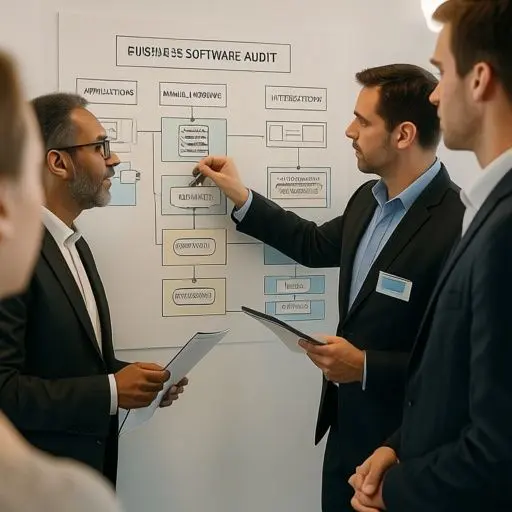
The safest starting point is to map every system, workflow, integration, data source, and manual workaround affected by the replacement. Do not rely only on management interviews. Speak with the employees who prepare invoices, update client records, schedule work, resolve exceptions, and produce reports.
During discovery, our team creates a system register containing the application owner, users, data held, integrations, access controls, renewal dates, known issues, and business impact of downtime. We then map critical workflows from trigger to completion. This regularly reveals unofficial tools, such as shared spreadsheets or email templates, that are essential to daily work but absent from formal documentation.
- List core applications and identify a business owner for each one.
- Document inputs, outputs, integrations, and recurring exports.
- Record manual corrections and duplicate data entry.
- Classify workflows by operational and client impact.
- Identify records that must be retained for legal or contractual reasons.
That dependency map becomes the foundation of the migration plan and prevents seemingly minor features from being discovered days before launch.
Turn pain points into requirements and success measures
A useful requirements document translates operational problems into capabilities, priorities, and measurable outcomes. Asking employees what features they want often produces a long wish list. Asking where work stops, repeats, or fails produces better requirements.
For example, replace “we need a better CRM” with “account managers must see client communications, active projects, unpaid invoices, and renewal dates in one profile. ” Classify requirements using the MoSCoW method: must have, should have, could have, and will not have during this phase.
Set baseline metrics before choosing a system. These might include quote preparation time, support response time, invoice errors, onboarding duration, active-user rate, or hours spent producing monthly reports. When exploring workflow automation, we also measure how much human review an automated workflow requires; automation that simply moves errors faster is not an improvement.
Compare packaged, custom, and hybrid replacement options
The right replacement approach depends on how distinctive your workflows are, how quickly you need results, and how much control the business requires. Off-the-shelf software is usually appropriate for standardized processes, while custom development is stronger when the workflow itself creates competitive advantage.
This comparison helps stakeholders discuss the trade-offs clearly:
| Approach | Best fit | Main consideration |
|---|---|---|
| Off-the-shelf SaaS | Standard CRM, accounting, or HR workflows | Fast deployment but limited customization |
| Custom software | Unique operations or client experiences | Greater control with higher delivery responsibility |
| Hybrid solution | Standard platform plus specialist workflows | Requires disciplined integration management |
When shortlisting vendors, request demonstrations based on your actual scenarios rather than accepting a generic sales tour. Give each supplier the same workflow, sample data, security questions, and integration requirements. Confirm data ownership, export options, service-level agreements, API limits, support arrangements, and total cost over three years.
If no packaged product supports the processes that differentiate the business, custom software solutions may be more sustainable than heavily modifying a SaaS platform until upgrades become difficult.
Migrate data and launch without risking client work
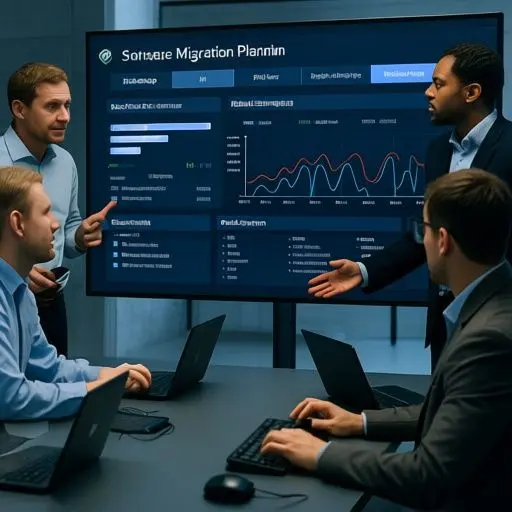
A low-risk launch uses verified backups, repeated migration tests, a controlled pilot, and a documented rollback procedure. Never make the first complete data migration on go-live weekend. Our teams normally perform several trial migrations so mapping errors, invalid records, encoding problems, and duplicate accounts can be corrected early.
- Clean obsolete and duplicate records before moving them.
- Back up the source system and test that the backup can be restored.
- Define reconciliation checks for record counts, balances, dates, and attachments.
- Run a pilot with a representative user group and real scenarios.
- Freeze or tightly control source-system changes during final migration.
- Assign named owners for technical, data, and operational decisions.
For high-impact systems, a parallel run may be appropriate. The old and new platforms operate together for a defined period while results are compared. This takes additional effort but can protect payroll, billing, regulated records, and time-sensitive client delivery.
Independent testing through quality assurance is particularly valuable when the application includes complex permissions, integrations, calculations, or compliance requirements.
Prepare employees for the new way of working
Successful adoption requires early communication, role-based training, and visible support after launch. Resistance often signals uncertainty rather than unwillingness. Employees want to know why the change is happening, how their responsibilities will change, and where to get help when a real case does not match the training example.
We recommend identifying departmental champions during the pilot, not after deployment. Train people with realistic tasks such as creating a client, approving a quote, correcting an invoice, or escalating an exception. Record short demonstrations, provide one-page guides, and establish office hours during the first two weeks.
Managers should also remove access to avoidable workarounds once the new workflow is stable. If teams can return indefinitely to familiar spreadsheets, adoption metrics may look healthy while the business continues running two processes.
Measure results and build a modernization roadmap

The replacement is complete only when the new system produces the intended business outcomes reliably. Compare post-launch performance against the baseline metrics defined during discovery at 30, 60, and 90 days.
Track active usage, task completion time, data errors, support requests, integration failures, customer impact, and manual interventions. Separate temporary learning issues from structural product gaps. A high support volume in week one may be normal; repeated failure of the same approval workflow after two months requires redesign.
Finally, maintain a prioritized improvement backlog rather than turning every request into an immediate change. Schedule security updates, integration reviews, user feedback sessions, and data-quality checks. That discipline is central to how to replace outdated business software without creating the next legacy system. Modernization should become a manageable roadmap, not another disruptive rescue project.
Frequently Asked Questions
How long does it take to replace outdated business software?
A focused replacement may take a few months, while a complex platform with integrations and historical data can take much longer. In our experience, workflow discovery and data cleaning are frequent schedule drivers. A credible estimate should follow an audit rather than being based only on the number of application screens.
Should a business replace all legacy systems at once?
Usually not. A phased approach limits operational risk and gives the team time to learn. We typically prioritize systems by business impact, security exposure, maintenance difficulty, and dependency. However, tightly connected applications may need to move together if separating them would create unreliable data or duplicate work.
How can a company avoid losing data during software migration?
Use restorable backups, documented data mapping, multiple trial migrations, automated validation, and business-user reconciliation. Our teams compare record counts and critical values between source and destination systems, then retain the original data in a controlled archive until the new platform has been fully verified.
Is custom software better than an off-the-shelf platform?
Custom software is better when unique workflows create business value or packaged products require excessive compromise. Off-the-shelf SaaS is often faster and more economical for standardized functions. We frequently recommend a hybrid model that combines a proven platform with custom integrations or specialist workflow components.
What is the biggest risk when replacing legacy business software?
The biggest risk is replacing the visible application without understanding the processes and dependencies around it. Undocumented spreadsheets, integrations, approval rules, and employee knowledge can be more critical than the software itself. A workflow-led audit exposes these dependencies before migration and launch decisions are made.