Automation workflows to boost conversions begin with mapping your customer journey and choosing the right triggers to turn visitors into buyers. In this guide I’ll walk through practical steps, sample flows, and measurement tactics you can implement today to increase conversion rates without adding headcount.
Why build automation workflows to boost conversions?
Automation removes manual friction, responds faster to intent signals, and personalizes at scale – three things that directly impact conversion rate. For example, when a visitor views pricing twice in one session, an automated flow can send a context-aware follow-up email or launch a live chat invite, turning intent into action. This is more efficient than waiting for a manual outreach and keeps messaging relevant to user behavior.
Map the customer journey and choose high-impact triggers
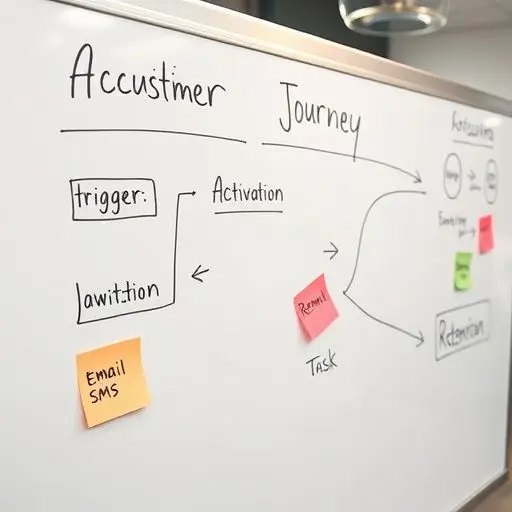
Start by listing conversion moments: pricing page visit, demo request, cart abandonment, trial expiration, or repeated usage of a key feature. Prioritize triggers by intent and volume – high intent + high volume = fastest wins. Sketch flows for each persona: what they saw, what they did, and the next best action.
Use a simple matrix: Trigger → Segment → Action → Metric. For instance, “Pricing page visit” → “Returning visitor, not trial” → “Send tailored pricing email + show social proof” → “Goal: demo booking rate. ” A visual mapping helps the team align on triggers and messaging before building the workflow.
Choose tools and build modular workflow components
Pick tools that integrate with your CRM, analytics, and product events. Common stacks include marketing automation platforms (e. g. , HubSpot, ActiveCampaign), product analytics (Mixpanel, Amplitude), and a CRM (Salesforce, HubSpot CRM). If you need implementation support, consider workflow automation services to speed integration and reliability.
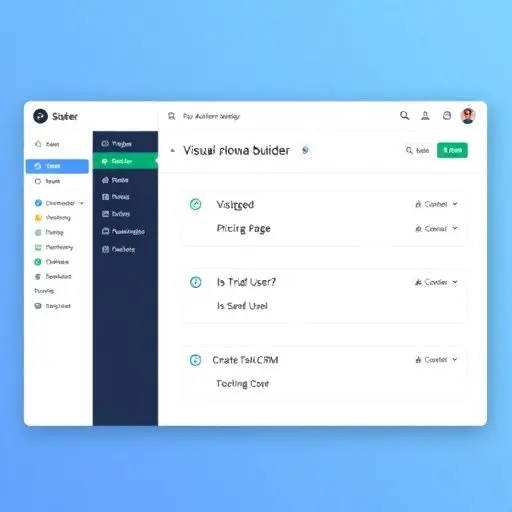
Design reusable building blocks: triggers (page view, event), segments (trial user, paying), conditions (has discount), and actions (email, SMS, create CRM task). Keep flows short and context-aware: two emails plus a sales task is often better than a long campaign. Visual builders make it easy to copy, modify, and test flows quickly.
Write conversion-focused messages and offers
Automation only works if the message converts. Use social proof, clear next steps, and urgency aligned with the trigger. Example: cart abandonment email – include product image, price, one CTA, and a 10% limited-time code. For B2B pricing page visitors, a short case study + ‘Book a 15-min demo’ CTA is effective.
Integrate design patterns from conversion-focused redesign projects – small copy and layout changes often increase CTRs dramatically. If you’re planning a site refresh alongside automation, a conversion-focused redesign can magnify the impact.
Test, measure, and iterate
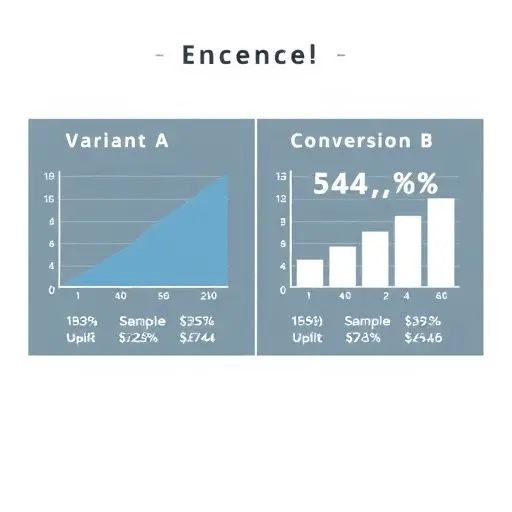
Treat every workflow as an experiment. Run A/B tests on subject lines, timing, and offers. Measure not just opens and clicks but meaningful conversions: demo booked, subscription started, or revenue attributed. Use statistical thresholds to decide winners and iterate fast. Visualize results and share learnings so teams can reuse winning templates.
Examples: three practical workflows you can build this week
1) Pricing page intent flow: Trigger = second visit to pricing in 7 days. Action = send tailored pricing email + schedule a sales task. Metric = demo bookings within 7 days.
2) Cart abandonment for ecommerce: Trigger = cart abandoned for 2 hours. Action = immediate reminder email, then 24-hour discount if not completed. Metric = recovery rate and AOV.
3) Feature adoption nudges: Trigger = user hasn’t used feature X within trial week. Action = in-app tooltip + automated email with how-to and example use case. Metric = feature activation rate and trial-to-paid conversion.
These workflows are low-friction to implement and directly tied to conversion events; combine them with lead-generating website best practices to maximize results.
Optimize for mobile and onboarding flows
Mobile users behave differently – deliver shorter messages and fewer steps. If your primary audience is mobile-first, test shorter flows and faster CTAs. Improving mobile onboarding reduces drop-off and boosts conversions from first-use events; check fast mobile onboarding patterns for actionable templates.
Implementation checklist and scaling tips
Checklist: – Map top 3 conversion triggers. – Build modular workflows (trigger, condition, action). – Create copy templates and CTAs. – Connect events to CRM and tag for attribution. – Run A/B tests and track conversion metrics. – Document winning templates for reuse. Start small, measure lift, then scale. If you’re unsure where to start, a free website audit can reveal immediate technical or UX blockers that reduce automation effectiveness.
Final notes
Automation workflows to boost conversions are a multiplier when combined with good UX and clear offers. Focus on intent, keep flows short, and iterate with data. With the right triggers, messaging, and measurement, you can move the needle on revenue without doubling your team.
Frequently Asked Questions
What is an automation workflow and how does it increase conversions?
An automation workflow is a sequence of automated actions triggered by user behavior (e.g. page visits events). It increases conversions by delivering timely personalized messages that match user intent reducing friction and improving response rates.
Which triggers deliver the fastest conversion lift?
High-intent triggers like pricing page revisits demo requests cart abandonment and trial expiration typically produce the fastest conversion lift because they indicate readiness to purchase or engage.
How should I measure the success of automation workflows?
Measure downstream conversion metrics (demo booked trial-to-paid conversion revenue) rather than surface metrics like opens. Use attribution tags CRM tasks and event tracking to connect workflow actions to revenue outcomes.
Can automation workflows work for mobile-first users?
Yes—design shorter messages simplify CTAs and prioritize in-app nudges or push notifications for mobile users. Fast low-friction onboarding is critical to convert mobile audiences.
How do I avoid over-automating and annoying users?
Set frequency caps use smart suppression (don’t message if user already converted) and personalize based on behavior. Monitor engagement and offer easy opt-outs to maintain trust and relevance.