Redesign website without losing organic traffic is the single most common concern we hear when clients plan a major site overhaul. In our work rebuilding sites for B2B SaaS and ecommerce clients, we’ve seen re-launches that improved conversions – and relaunches that inadvertently wiped out months of SEO gains. This guide condenses those hands-on lessons into a practical plan you can follow step by step.
How to redesign website without losing organic traffic: start with an audit
Before you touch design or the CMS, audit the pages that deliver search value. Export top landing pages from Google Analytics and Search Console, and cross-reference with backlink data from tools like Ahrefs or Majestic. In projects where we preserved traffic, we always started by listing the top 300 pages by organic sessions and the top 50 pages by backlinks – those pages become non-negotiable during the redesign.
Actionable checklist: export sitemap. xml, crawl the current site with Screaming Frog, and build a spreadsheet with columns for old URL, title, top keyword, monthly sessions, and referring domains. Mark pages you must keep, consolidate, or retire. This is the single most important defensive play when you redesign website without losing organic traffic.
Plan your new site structure and URL mapping
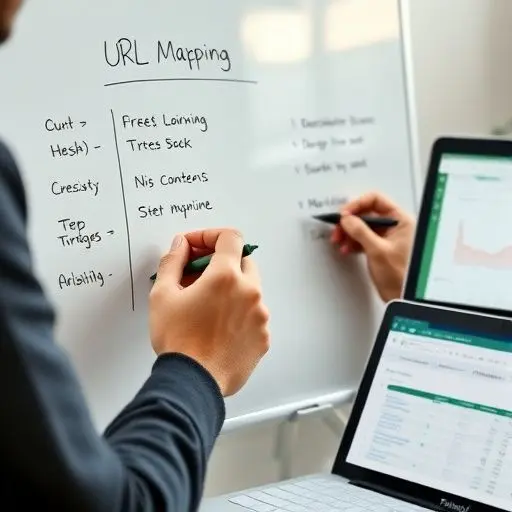
Mapping old URLs to new ones is where I see teams either succeed or fail. Create a canonical URL mapping document: old URL → new URL → redirect type → notes. Preserve hierarchy and keyword intent when possible. If you must change a URL for UX or taxonomy reasons, ensure the new URL reflects the original topic and keeps the same content depth.
When consolidating thin pages, merge content and preserve internal link equity by updating anchor text and navigation. Our designers and devs coordinate to avoid creating duplicate templates that generate thin or duplicate pages – a migration that ignores duplication risks losing search visibility fast. For complex CMS changes (for example headless WordPress to React), involve the SEO and dev teams early so crawling and rendering are validated before launch.
Handle redirects, canonicals, and technical SEO properly
Redirects are non-negotiable. Implement 301 redirects from every old page you care about to the best matching new page. We use staged redirects in a test environment first and keep a rollback plan. Avoid redirect chains and never redirect a high-value page to your homepage unless absolutely necessary.
Canonical tags must be accurate on the new site – if your CMS injects auto-canonicals, verify they match your mapping. Also test robots. txt and structured data. On one of our recent redesigns, a misconfigured robots rule blocked category pages and caused a 30% traffic dip until we fixed it within 48 hours. Lessons learned: automate crawl tests and include crawlability validation in your pre-launch QA.
Pre-launch and launch checklist for marketing and SEO
Pre-launch items we always run through:
– Full crawl of staging site with Screaming Frog to validate redirects and status codes.
– Upload an XML sitemap for the staging/new site and ensure Search Console property is ready.
– Verify on-page metadata (titles, metas, H1s) matches the mapped SEO plan.
– Run lighthouse and speed checks; mobile performance impacts rankings and conversions.
– Freeze content changes 48 hours before launch to avoid sync issues.
At launch: swap DNS during low traffic, monitor server errors, and submit the new sitemap to Search Console. Share your redirect map with the team and begin hourly checks on traffic and indexation for the first 48 hours.
If you don’t have internal capacity to run that sequence, consider professional website revamp services like our website revamp services – experienced teams reduce risk by handling redirects, canonicalization, and rollout validation.
What to watch in the first 90 days
Traffic and rankings often dip after a relaunch. Expect transient fluctuations; in our experience a 5 – 20% temporary drop for 2 – 4 weeks is normal while Google reprocesses redirects and reindexes. Key metrics to monitor:
– Organic sessions and clicks per page (Search Console & GA)
– Indexed pages and crawl errors (Search Console)
– 404 spikes and redirect chain occurrences (server logs / Screaming Frog)
– Keyword ranking changes for top-priority terms
If a high-value page loses 50%+ traffic after 30 days, escalate: check renderability, rel=canonical, and whether the new page preserved the original content and internal links. In one case we recovered a critical product page by restoring legacy content structure and updating internal links – traffic returned within two weeks.
Practical tips from our team’s projects
– Keep a ‘must-save’ list: pages with highest sessions, backlinks, and conversion value.
– Automate URL mapping using CSV imports to avoid human error.
– Run A/B tests only after rankings stabilize. Major UX changes can be measured more reliably once organic baselines return.
– Maintain a post-launch backlog for small SEO fixes; don’t attempt to perfect everything at go-live.
Common pitfalls we’ve fixed
We’ve undone redirect-to-homepage mistakes, fixed accidental noindex tags, and reintroduced structured data that was lost during template migration. Those fixes are straightforward if you have monitoring and a prioritized action list.
Conclusion
Redesign website without losing organic traffic is achievable with diligence: audit, map, test, and monitor. Your migration plan should be a living document shared across design, development, and marketing. When in doubt, test on staging and bring in experienced teams early – it lowers the chance of costly mistakes and accelerates recovery if issues arise.
Frequently Asked Questions
How much traffic loss is normal after a redesign?
In our hands-on experience, a 5 – 20% temporary drop is common and usually resolves within 2 – 6 weeks. If losses persist beyond 30 – 60 days, investigate redirects, indexing, and on-page content parity immediately.
Can I change URLs and keep rankings?
Yes, if you implement precise 301 redirects, preserve content intent, update internal links, and avoid redirect chains. We map and test every redirect in staging to ensure smooth transfer of link equity during redesigns.
What tools does your team use during migrations?
We rely on Google Search Console, Google Analytics, Screaming Frog, and backlink tools like Ahrefs. For dev-side checks we use server logs and automated crawlers to detect 4xx/5xx and redirect chains early. Practical coordination between developers and SEOs is the decisive factor in successful relaunches.